Life OS 2.0 · “Life Map” · iPhone
Where are you going?
Life OS turns goals into places on a map, and days into short crossings towards them. Mornings: three waypoints. Evenings: a camp and a few lines in the logbook. Every week: a postcard from the road.
- Free
- No ads
- English & Ukrainian
Real app screens (Ukrainian UI) · demo data
01Where are you going
A goal is a place on the map, not a line in a list
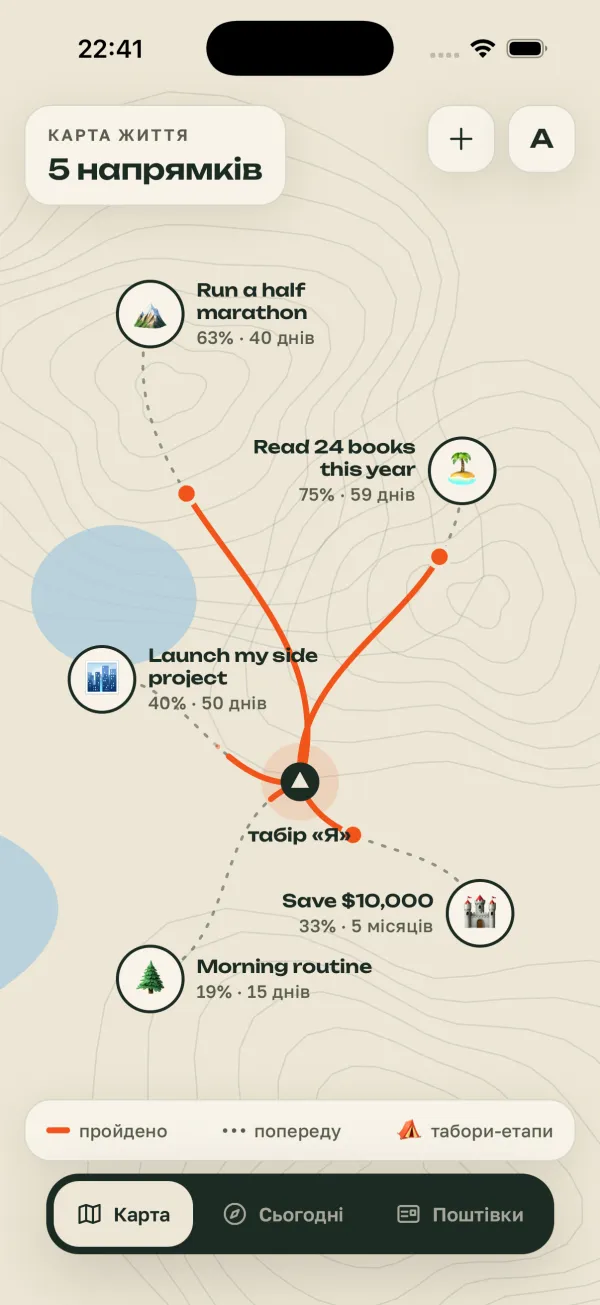
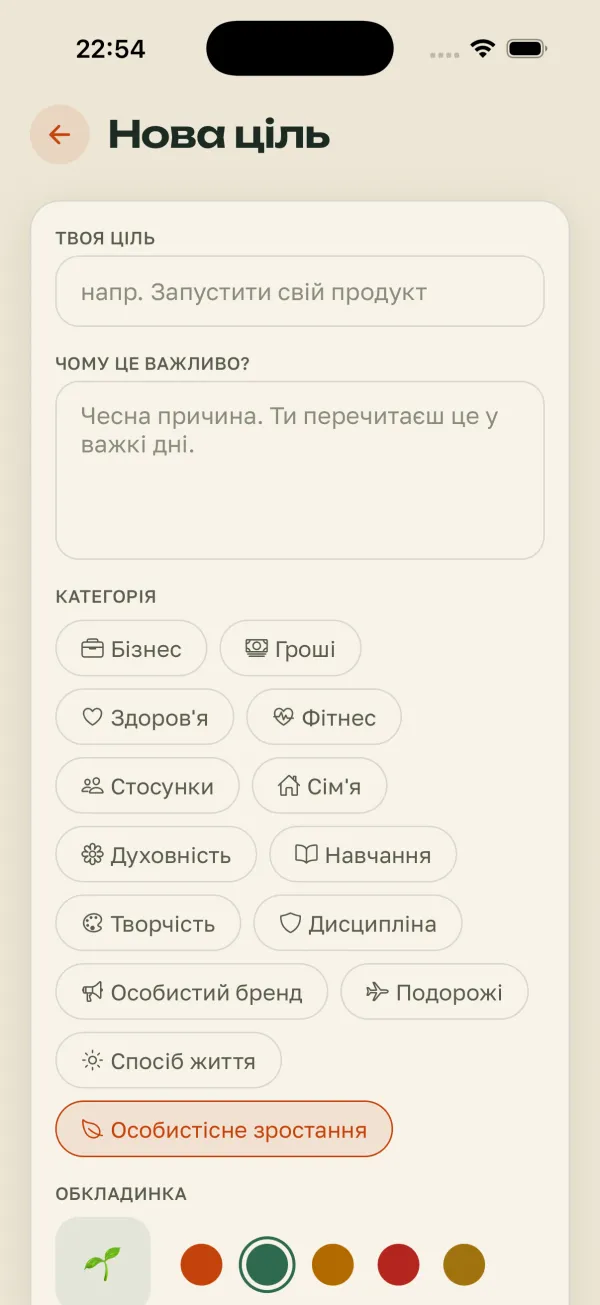
Name a goal, pick its area — and it becomes a place on your map. A trail leads there from camp “Me”: solid where you’ve already walked, dotted for the way ahead.
- Share of the way and days to the deadline — right on the map
- “Why does it matter?” — an honest reason to reread on hard days
- A goal’s milestones become camps along the trail
New goal · real screen
02Today’s crossing
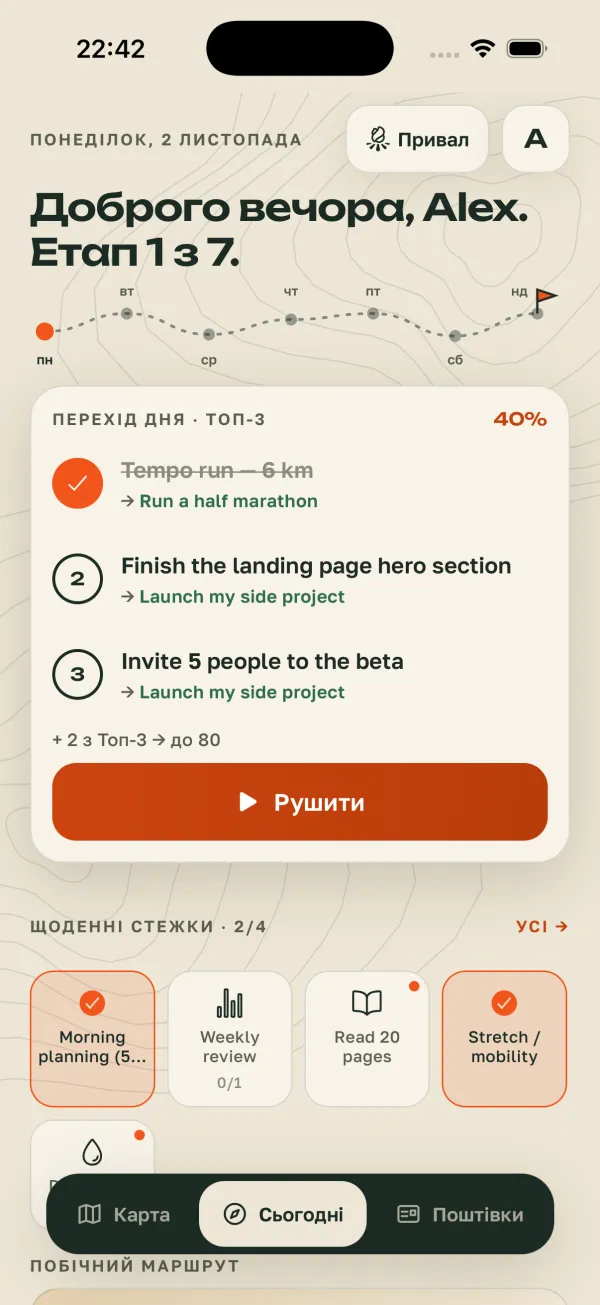
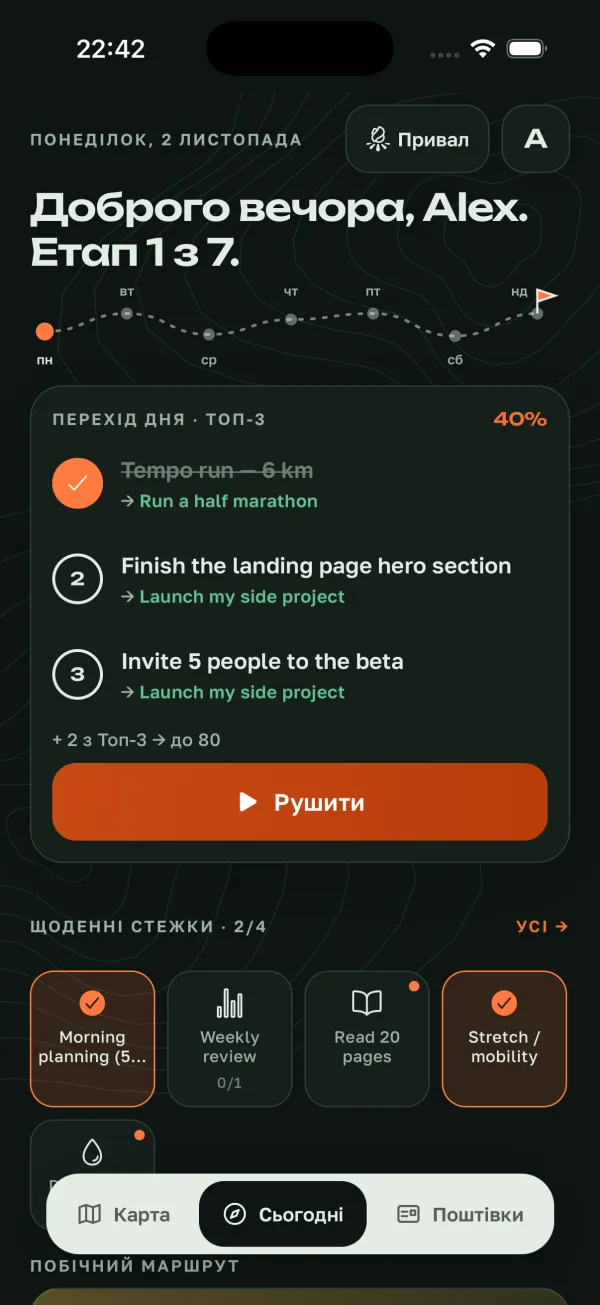
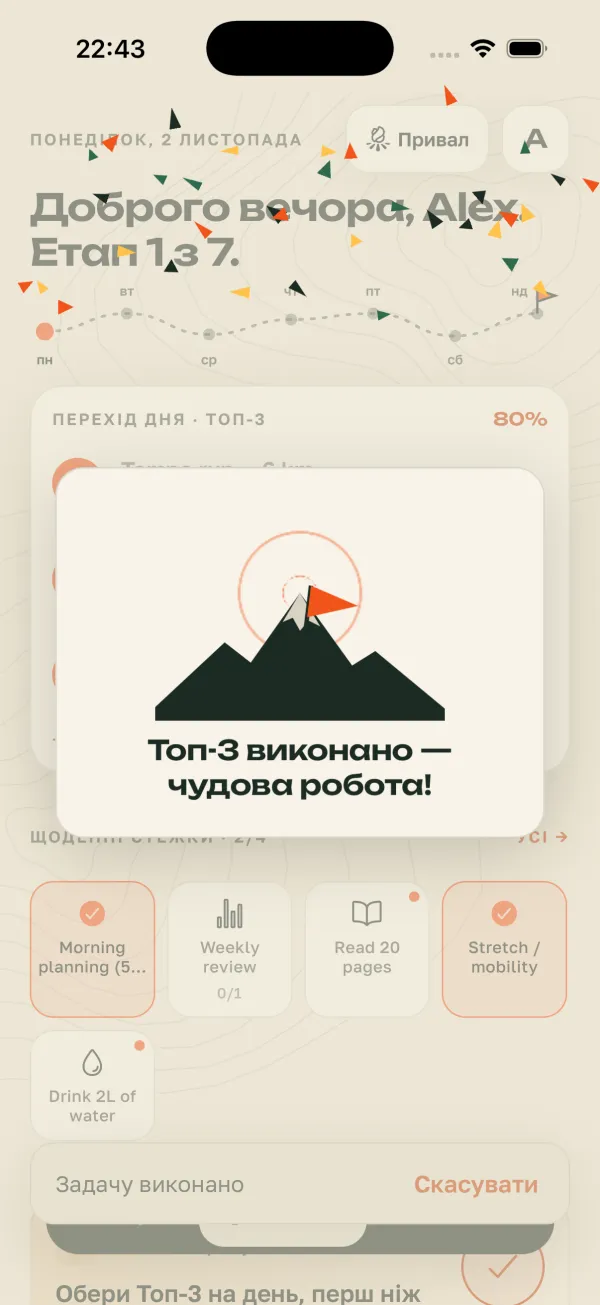
Three waypoints for today. Not twenty.
In the morning you pick your Top 3 — three tasks that move your goals, each labelled with where it leads. Tap “Set off” and the first open task starts in Focus.
- Day score: the Top 3 counts 60%, daily trails 40%
- A hint of what a better day takes: “+ 2 of Top 3 → to 80”
- Stage of the week — “Stage 1 of 7” with the whole week’s route on top
- Morning plan: main focus, intention and how you feel
+ 2 of Top 3 → to 80
Set offTry it: tap the waypoints and trails — the score uses the same formula as the app.
Real app screens (Ukrainian UI) · demo data
03Daily trails
A habit is a trail you wear in, day by day
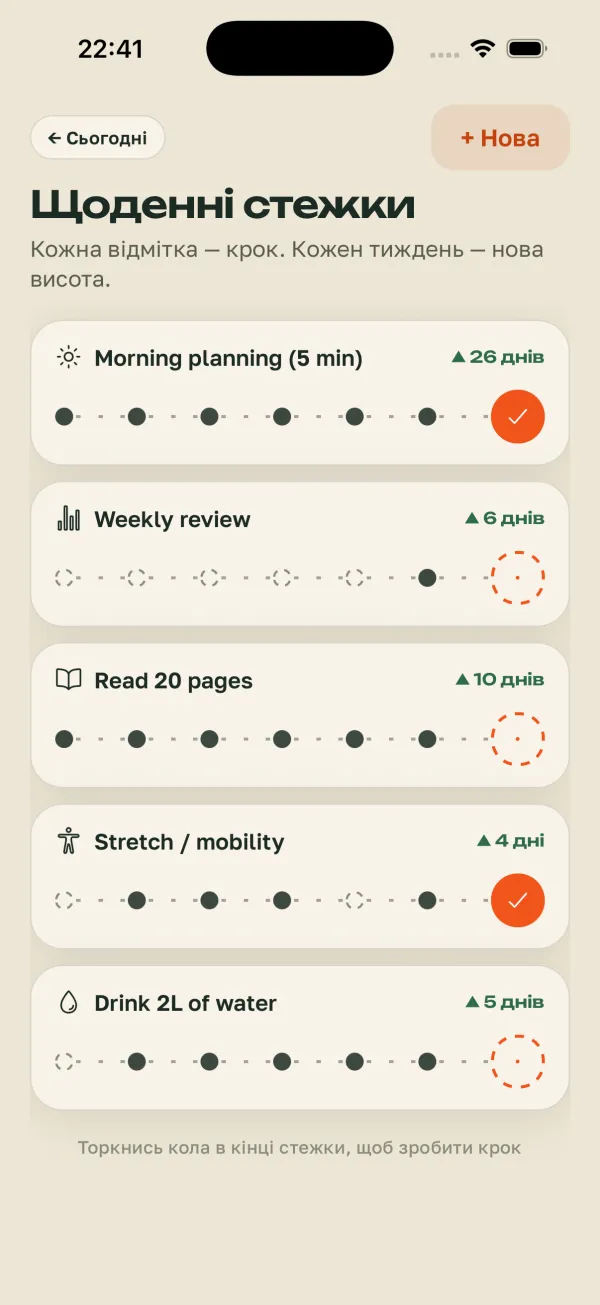
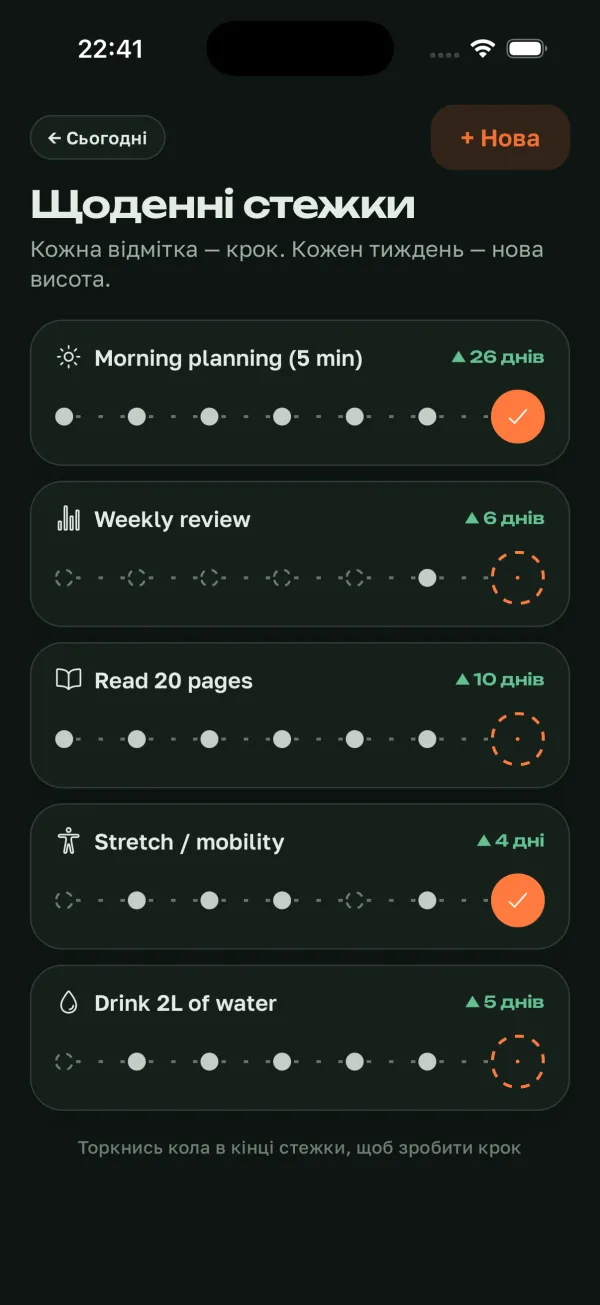
Every check is a step. The last seven days show as one trail, and a streak grows like altitude: “▲ 26 days”. At 7, 14, 30, 50, 100, 200 and 365 days you reach a “new altitude” with a flag on the summit.
- Tap the circle at the end of a trail — step taken
- A missed day shows honestly, without shame
- Reminders are local: your iPhone schedules them
Tap the circle at the end of a trail. A new altitude waits on the second one.
Real app screens (Ukrainian UI) · demo data
04Camp
In the evening — a camp by the fire
As the day winds down, Today turns into a camp: a campfire, the stage summary and one question — “What’s the weather inside today?”, from storm to sun. A few handwritten lines in the logbook, and it’s time to make camp.
- Mood in one tap, like the weather
- A handwritten logbook — for you, no grades
- “Make camp for the night” — the day is closed, tomorrow is a new stage
What’s the weather inside today?
Logbook
Tempo run felt light today. Landing page tomorrow.
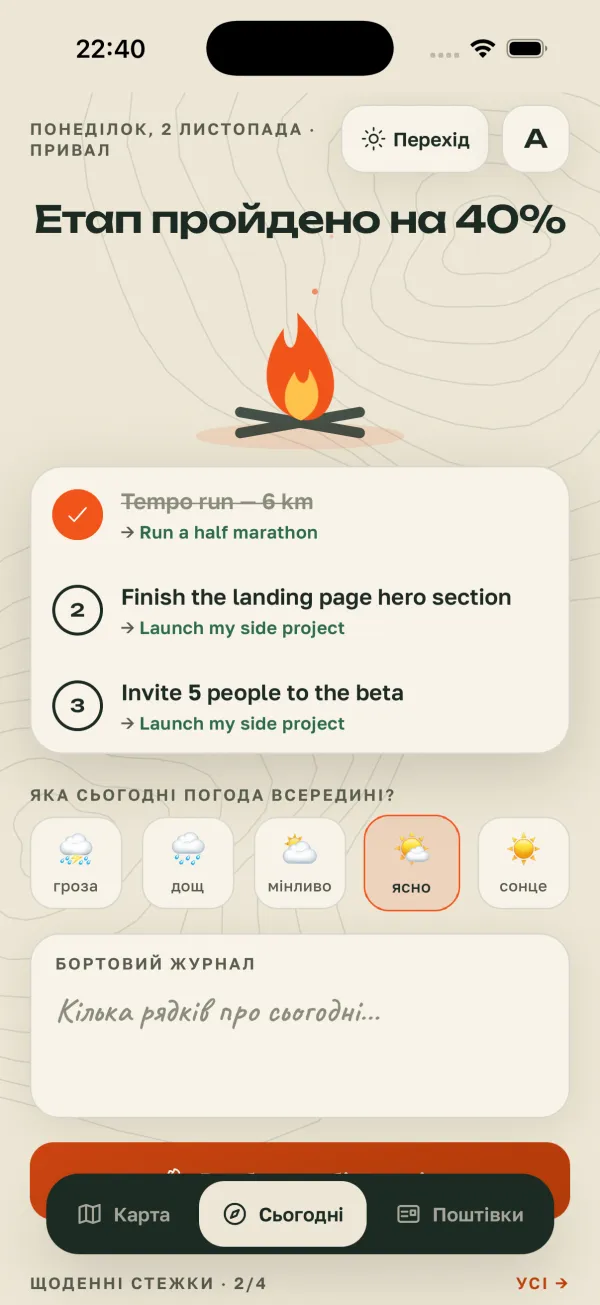
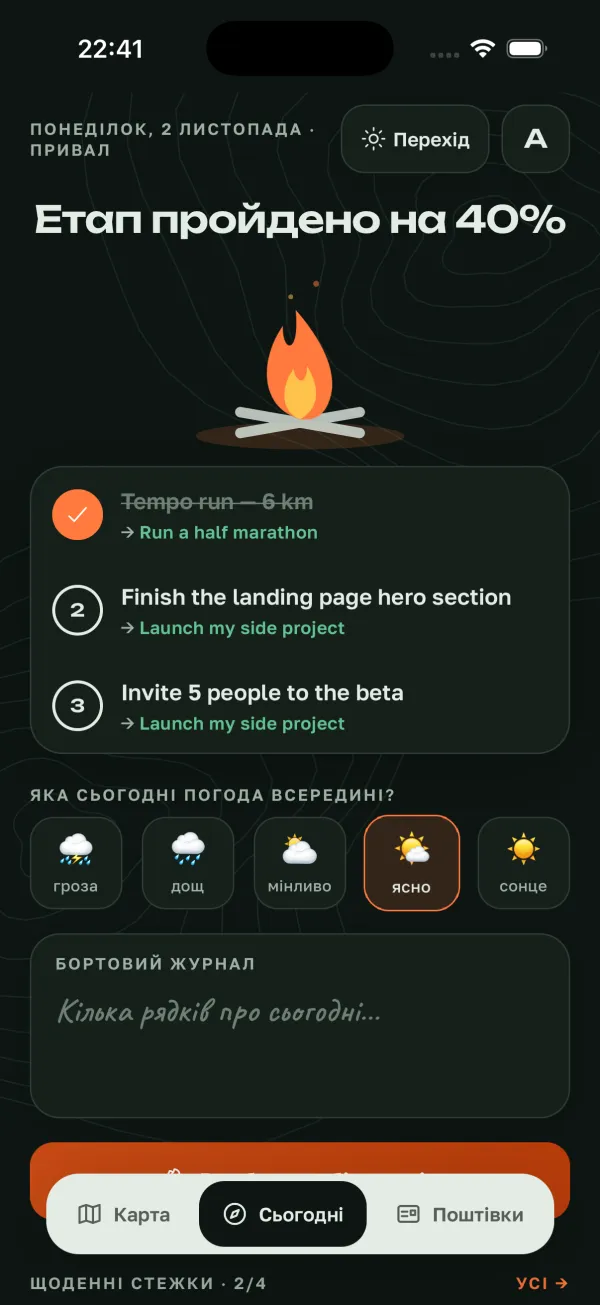
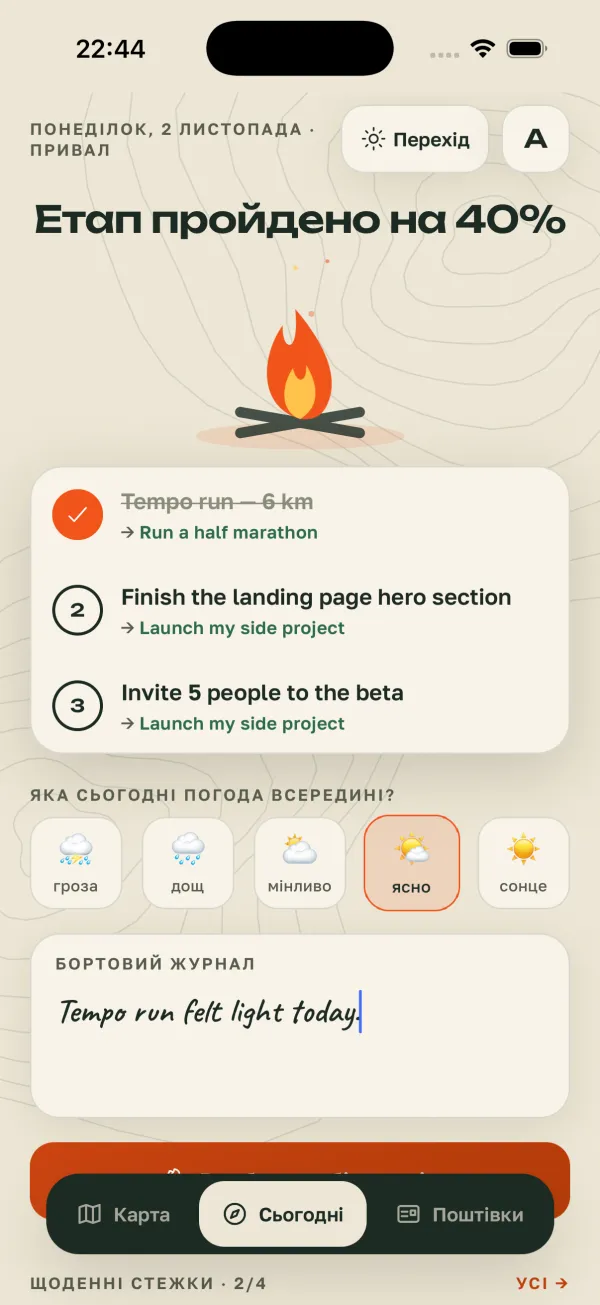
Real app screens (Ukrainian UI) · demo data
05Summit
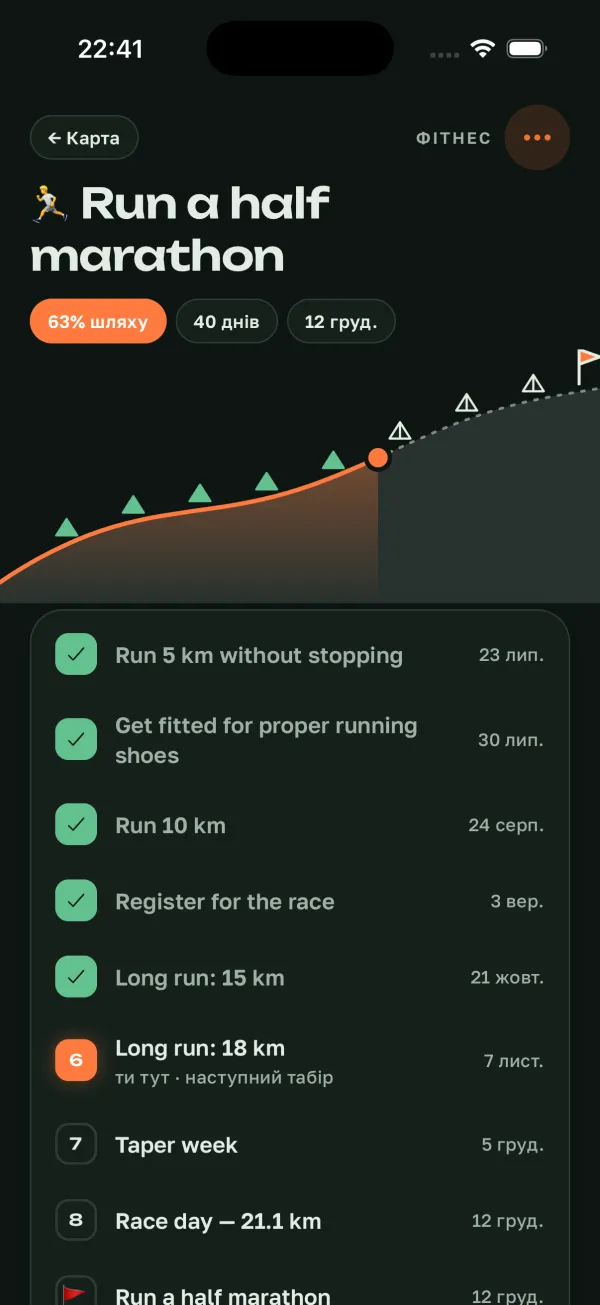
A goal is a climb. Milestones are camps on the slope.
Open a goal and you see its elevation profile: the slope behind you, milestone camps, a “you are here” dot and a flag on the summit. Mark a milestone — camp reached. Reach the top — the flag goes in and triangle confetti falls.
- Share of the way, days to the deadline and the finish date
- Add, check off and reorder camps
- “Summit reached — complete the goal” — a moment worth feeling
you are here · next camp
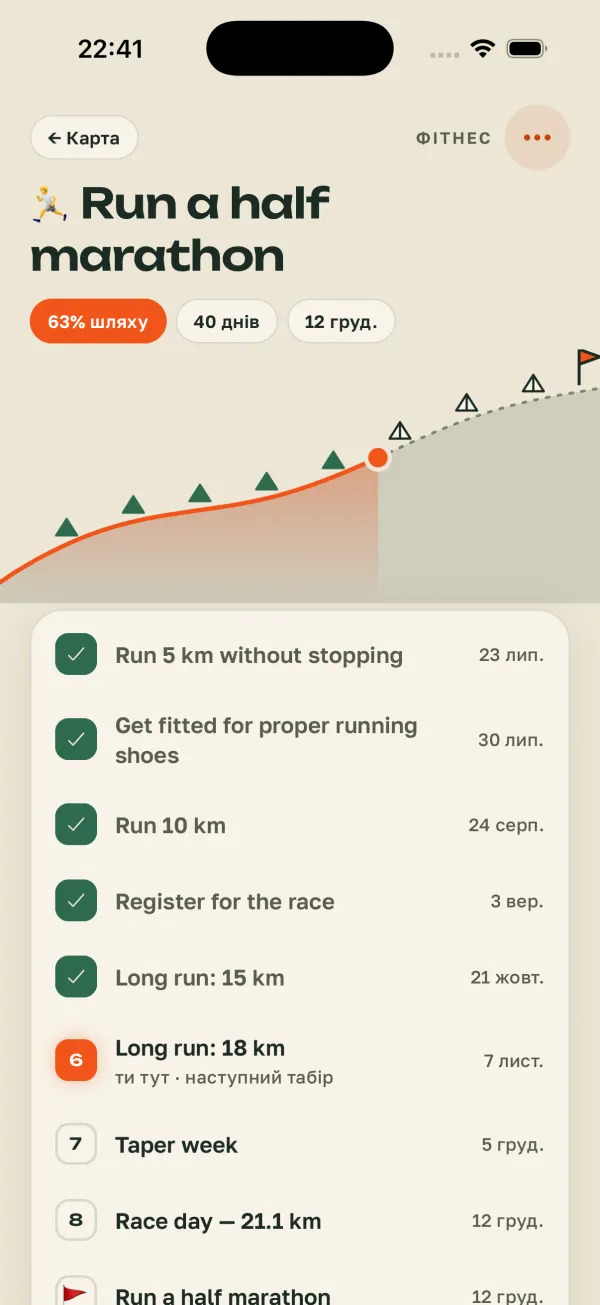
Real app screens (Ukrainian UI) · demo data
06Postcard of the week
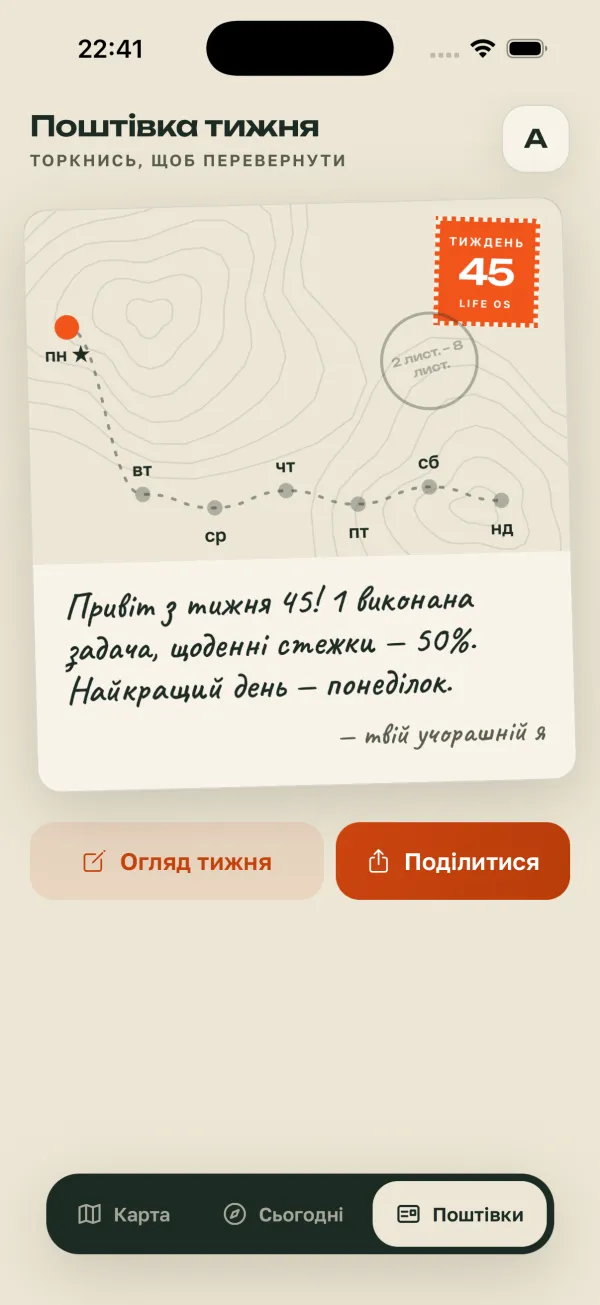
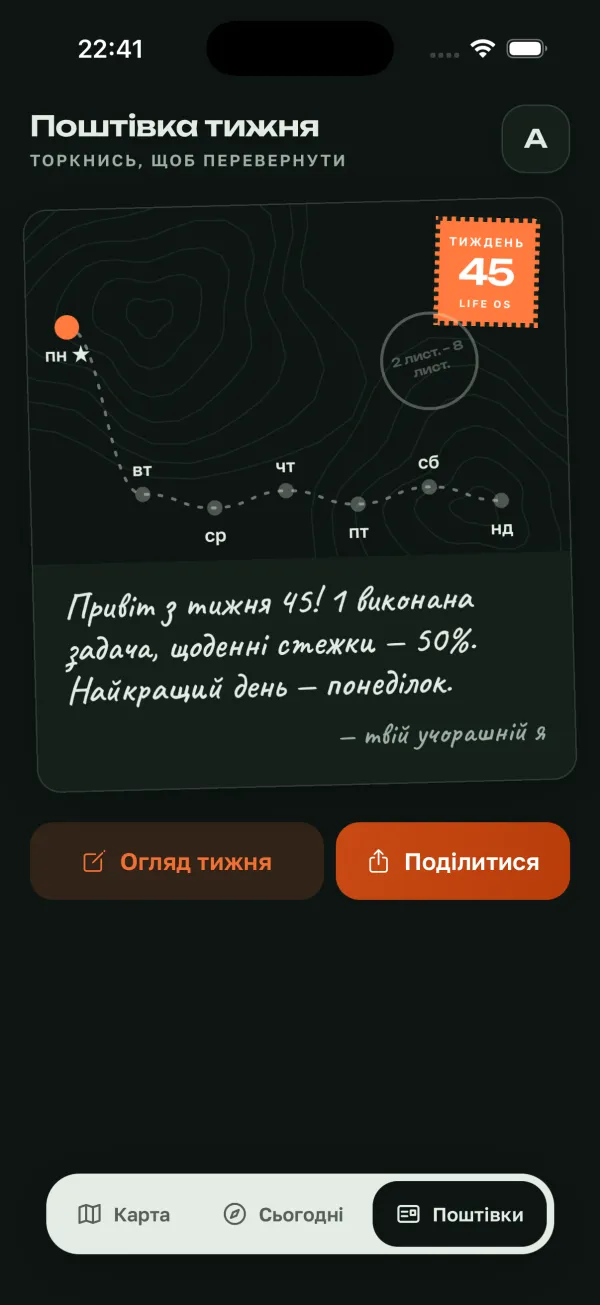
Every week — a postcard from the road
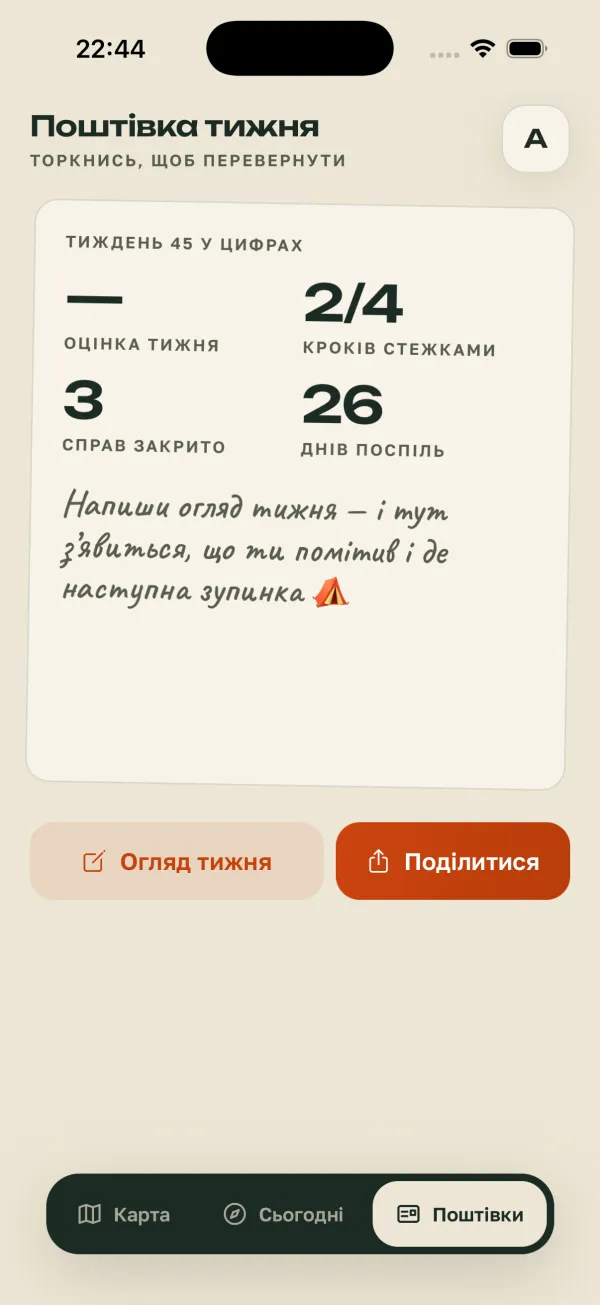
Life OS folds your week into a postcard: the route of your days on the front, a stamp with the week number, a postmark and a handwritten note. Flip it over to see the week in numbers.
- Week score, trail steps, tasks done, days in a row
- “Noticed” and “Next stop” — from your weekly review
- “Share” — the postcard goes out as an image, wherever you like
Tap to flip
Real app screens (Ukrainian UI) · demo data
07Compass
Focus is a compass, not a stopwatch
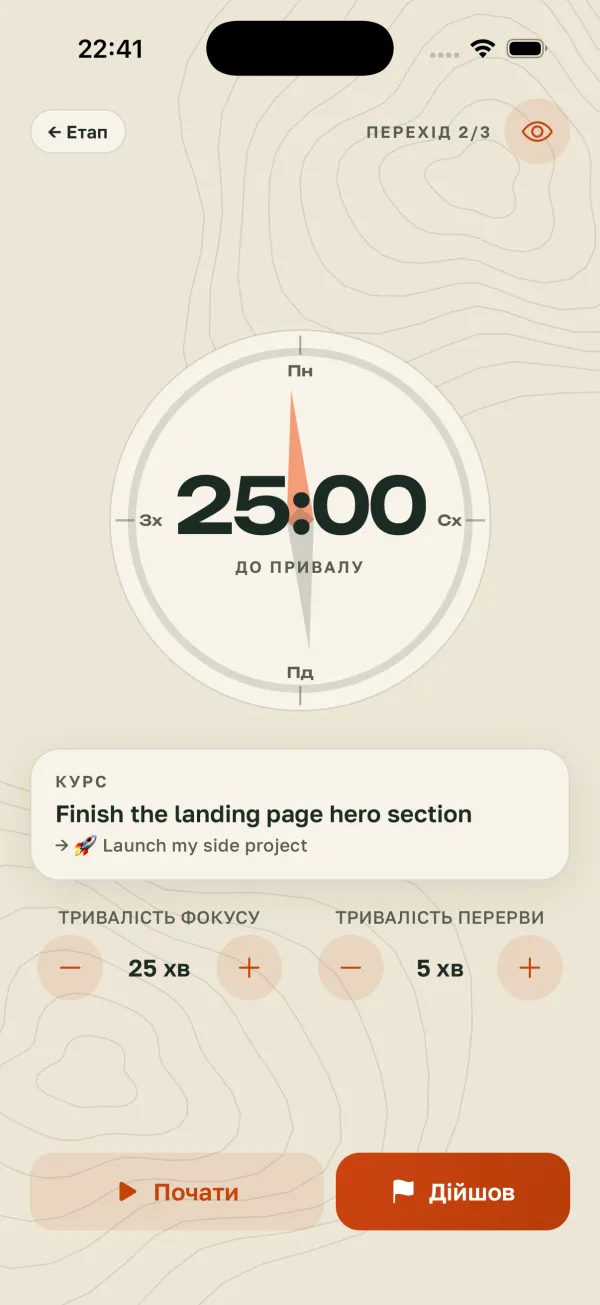
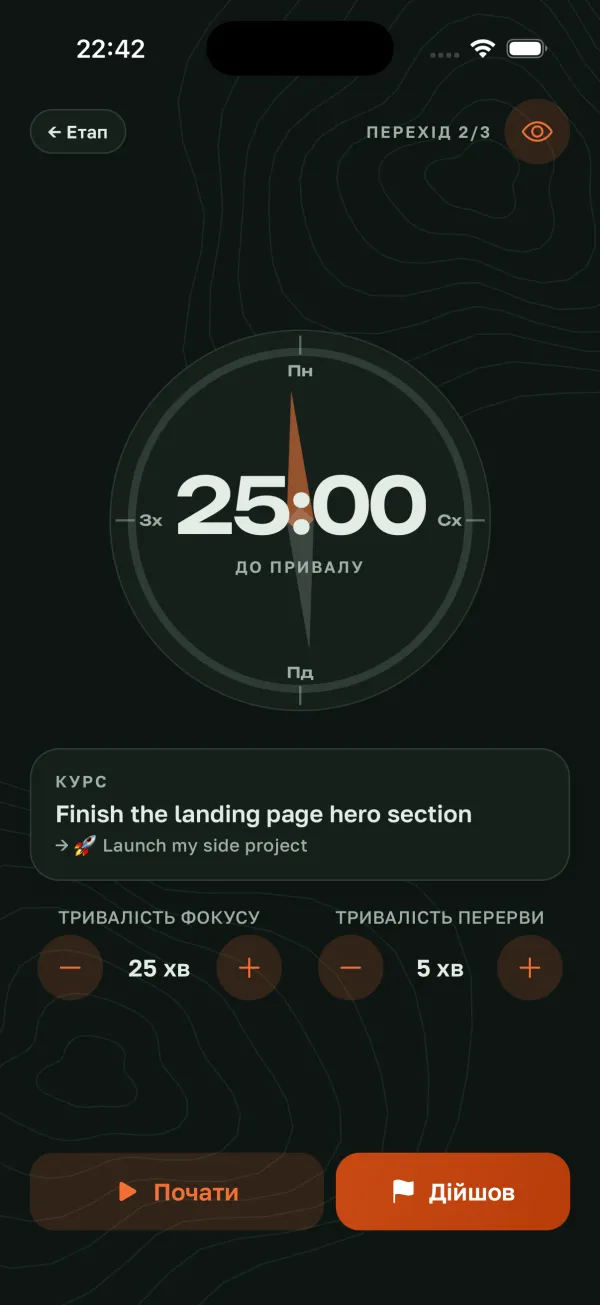
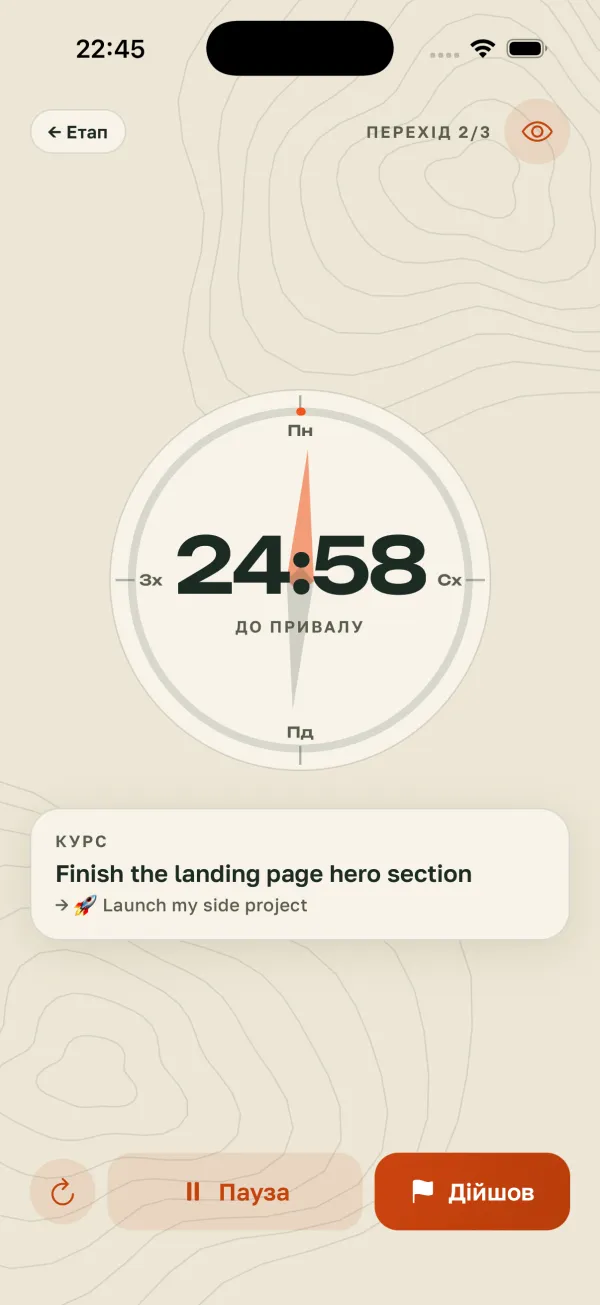
“Set off” opens Focus on a single task. The needle holds the course, the arc shows how long until the rest. 25 minutes of focus and 5 of break — or whatever suits you. The screen stays awake while you’re on the move.
- Course — one task and the goal it leads to
- Legs 1/3, 2/3… with rests in between
- “Arrived” — mark the task done right from the timer
Real app screens (Ukrainian UI) · demo data
08Privacy
Your map is yours alone
Goals, mood and a logbook are deeply personal. So the rules are simple, and all of them are written in the privacy policy.
- Only you can see itYour entries belong to your account, and database rules let only the owner reach each row.
- No ads, no trackingWe don’t sell data, show ads or track you across other apps.
- No AI training on youYour entries are not used to train artificial intelligence.
- Analytics are offUsage statistics and crash reports are switched off in the current version and send nothing.
- Encrypted in transitData travels between the app and the server over a secure connection (TLS).
- Delete in one stepSettings → Delete account — any time, right in the app.
09FAQ
Short and honest
How much does it cost?
Nothing. There are no paid plans right now, and there is simply nothing to buy in the app — no subscriptions, no charges. If a premium plan ever appears, it will only be available through the App Store, with the price on screen before you pay.
What’s new in 2.0?
A new “Life Map” look and a simpler structure: three tabs — Map, Today, Postcards. Goals became places, the day a three-waypoint crossing, the evening a camp and the week a postcard. Fewer screens, more movement.
Which devices does it run on?
iPhone. There are no iPad or Android versions yet.
Which languages?
English and Ukrainian. By default it follows your phone, and you can switch in Settings.
How is the day score counted?
The Top 3 counts 60%, daily trails 40%. If a day has only one of them, it counts 100%.
Do I need an account?
Yes, an email account — so your data syncs and waits for you after a reinstall. You can delete the account any time in Settings.
Will it send notifications?
Only the ones you turn on: habit reminders, the day plan and the evening review. They are local — your phone schedules them — and you can switch them off in the app or in iOS settings.
Is there a dark theme?
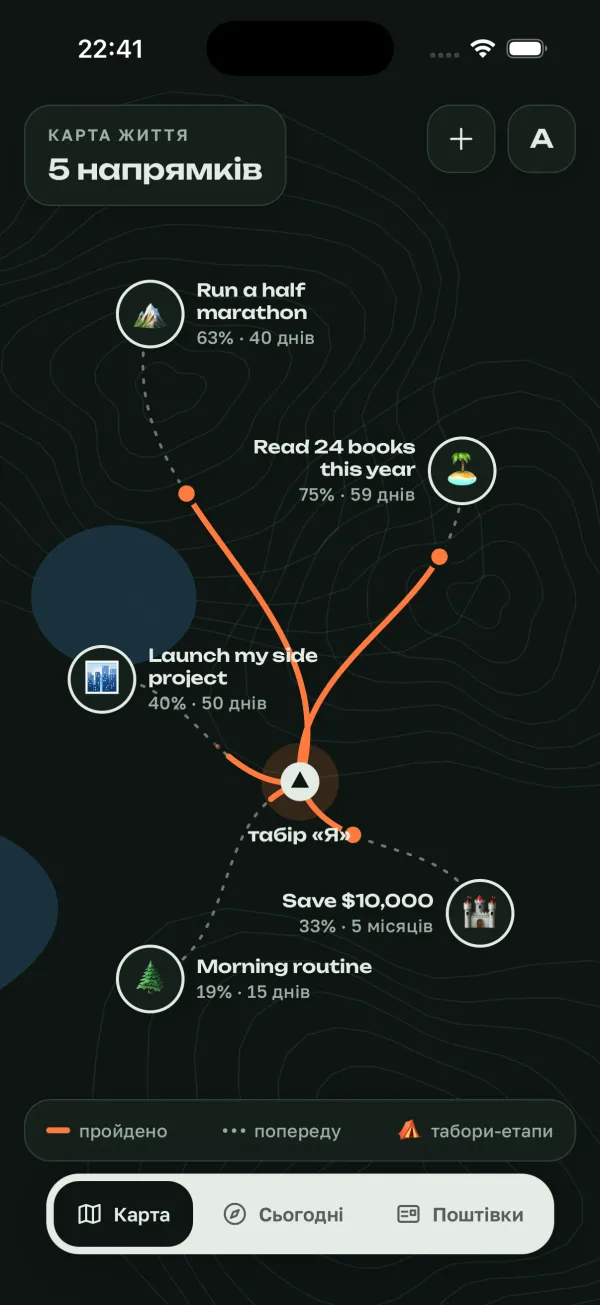
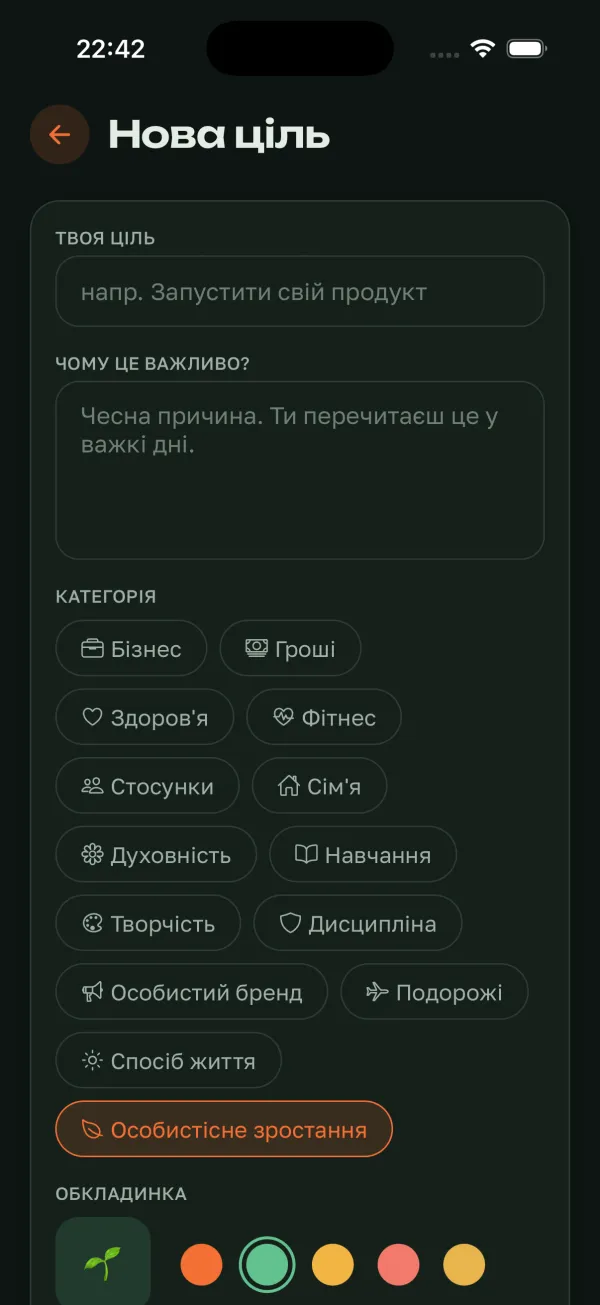
Yes: light is a paper map, dark is night topography. Or automatic, following the system.
Who is behind the app?
Vadym Magerko, who operates the app as a sole proprietor (ФОП Магерко Вадим Андрійович). Questions and ideas: vvvadim.businesss@gmail.com.
10Trailhead
The first step is today
Mark one place on the map, pick three waypoints for today — and in the evening, see how far you got. The rest of the route will come together.
Free. No ads, no subscriptions, no in-app purchases.